> ## Documentation Index
> Fetch the complete documentation index at: https://docs.agentify.jp/llms.txt
> Use this file to discover all available pages before exploring further.
# データベースの操作
> データベースの追加、検索、更新、削除といった CRUD 操作について説明します。
データベースは、データの追加(Insert)、検索(Select)、更新(Update)、削除(Delete)の基本操作をサポートしています。これらはまとめて CRUD と呼ばれ、業務データを扱う Agent の中心的な処理になります。
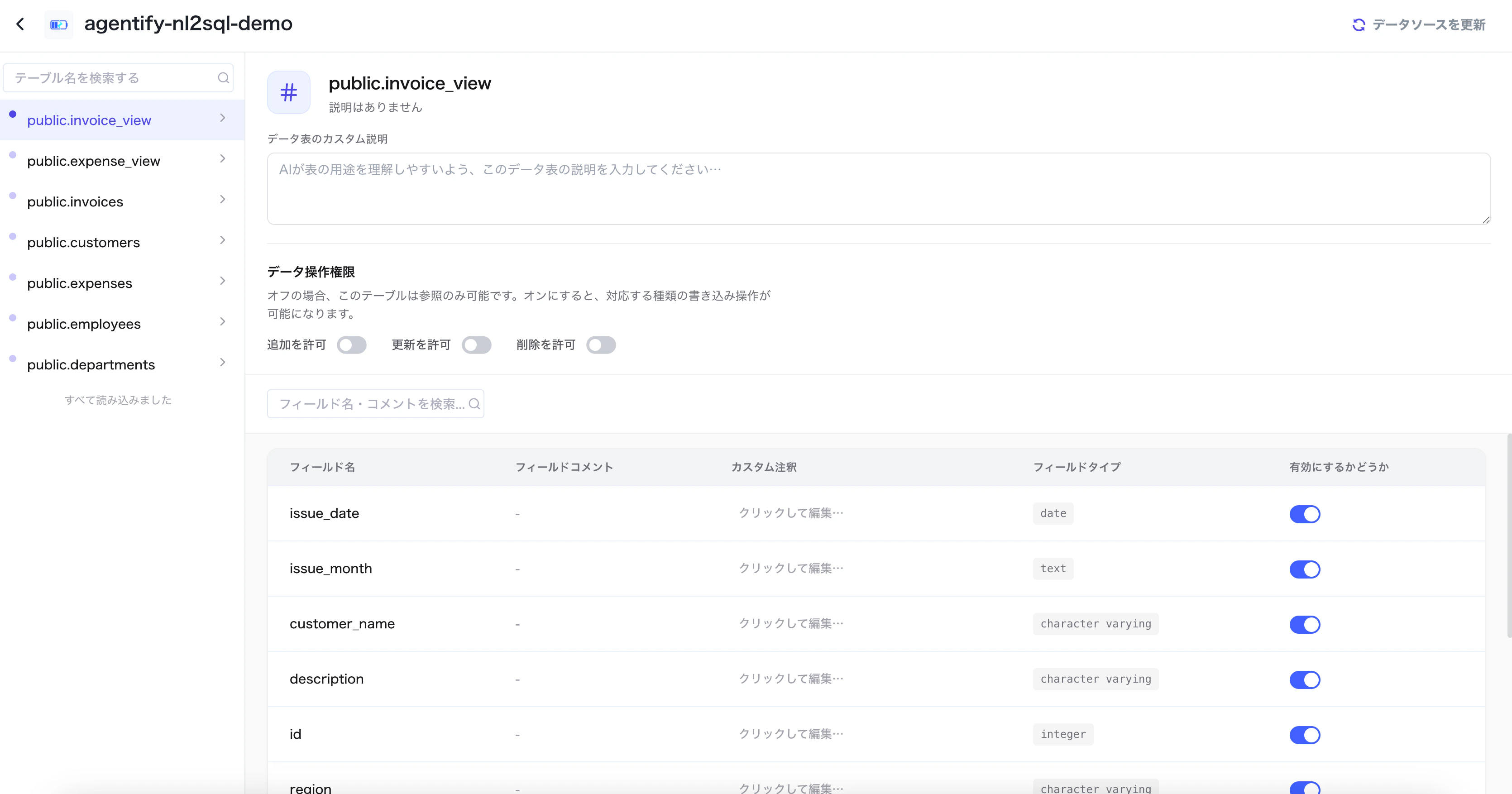 ## CRUD 操作
新しい申請、問い合わせ、顧客情報などをデータベースに登録します。
条件に一致するレコードを検索し、回答や分析に利用します。
ステータス、担当者、在庫数など、既存データを更新します。
不要なデータや誤登録データを削除します。
## Agent での利用例
検索、登録、更新、削除のどの操作が必要かを判断します。
対象テーブル、検索条件、更新内容などを整理します。
NL2SQL、LLM、固定 SQL を利用して実行 SQL を準備します。
検索はデータベースクエリ、更新系処理はデータベース更新を利用します。
更新や削除を伴う処理では、操作前の確認、対象条件の限定、権限管理を必ず設計してください。
## CRUD 操作
新しい申請、問い合わせ、顧客情報などをデータベースに登録します。
条件に一致するレコードを検索し、回答や分析に利用します。
ステータス、担当者、在庫数など、既存データを更新します。
不要なデータや誤登録データを削除します。
## Agent での利用例
検索、登録、更新、削除のどの操作が必要かを判断します。
対象テーブル、検索条件、更新内容などを整理します。
NL2SQL、LLM、固定 SQL を利用して実行 SQL を準備します。
検索はデータベースクエリ、更新系処理はデータベース更新を利用します。
更新や削除を伴う処理では、操作前の確認、対象条件の限定、権限管理を必ず設計してください。